Introduction: Why Data Protection Strategies Matter
In today’s digital-first business environment, data is one of the most valuable assets an organization can have. Whether it’s customer information, financial records, or operational data, businesses depend on it for decision-making and daily operations. To protect this critical asset, organizations rely on strategies like backup and replication. However, many people often confuse data replication vs backup, even though they serve very different purposes.
Understanding the difference between these two approaches is essential for building a strong data protection strategy. While both aim to safeguard information, they work in different ways and serve different business needs. Choosing the right method—or combining both—can significantly improve disaster recovery, minimize downtime, and ensure business continuity.
Key Points:
- Data is a critical business asset in modern organizations.
- Backup and replication are both data protection strategies.
- They serve different purposes despite similar goals.
- Understanding both improves disaster recovery planning.
What is Data Backup?
Data backup is the process of creating a copy of data at a specific point in time and storing it separately from the original source. These backups are typically used to restore data in case of accidental deletion, corruption, or system failure. Backups are usually scheduled at regular intervals, such as daily, weekly, or monthly, depending on business needs.
One of the key characteristics of backup systems is that they are not real-time. This means there is often a gap between the original data and the backup copy. While this may result in some data loss during recovery, backups are highly reliable for long-term storage and disaster recovery scenarios.
Key Points:
- Creates point-in-time copies of data.
- Used for recovery after data loss or corruption.
- Not real-time; scheduled at intervals.
- Ideal for long-term storage and compliance.
What is Data Replication?
Data replication is the process of continuously copying data from one location to another in real time or near real time. Unlike backups, replication ensures that any changes made to the original data are immediately reflected in the replicated copy. This makes it highly effective for maintaining data availability and minimizing downtime.
Replication is commonly used in systems that require high availability, such as banking systems, e-commerce platforms, and cloud services. If the primary system fails, the replicated data can immediately take over, ensuring uninterrupted operations. This is where the concept of data replication vs backup becomes crucial in choosing the right strategy.
Key Points:
- Copies data in real time or near real time.
- Ensures high availability and uptime.
- Used in mission-critical systems.
- Enables instant failover during system failure.
Data Replication vs Backup: Key Differences
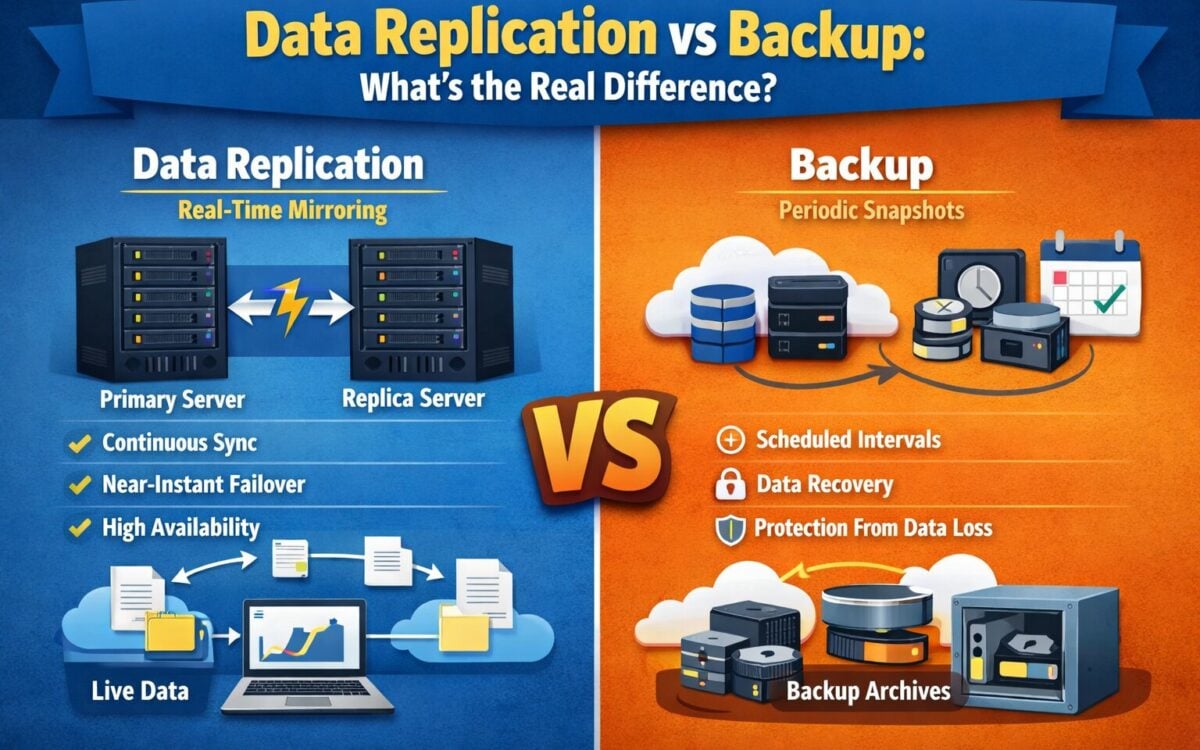
The core difference between data replication vs backup lies in their purpose and functionality. Backup focuses on data recovery after a failure, while replication focuses on ensuring continuous availability. Backups are static and time-based, whereas replication is dynamic and continuously updated.
Another major difference is cost and complexity. Backup systems are generally more cost-effective and easier to manage, while replication requires more advanced infrastructure and higher investment. Businesses must carefully evaluate their needs to decide which solution—or combination—best suits their operations.
Key Points:
- Backup = recovery after failure.
- Replication = continuous availability.
- Backup is time-based; replication is real-time.
- Replication is more expensive and complex.
When Should You Use Backup vs Replication?
Choosing between backup and replication depends on your business requirements. If your priority is recovering lost data and meeting compliance requirements, backup is the ideal solution. It is cost-effective and suitable for most businesses that do not require real-time data availability.
On the other hand, if your business cannot afford downtime or data loss, replication is the better option. Industries like finance, healthcare, and e-commerce often rely on replication to ensure uninterrupted service. In many cases, organizations use both strategies together for maximum protection.
Key Points:
- Backup is ideal for data recovery and compliance.
- Replication is best for high-availability systems.
- Critical industries often use both.
- Choice depends on business continuity needs.
Benefits of Combining Backup and Replication
Using both backup and replication together provides a comprehensive data protection strategy. Replication ensures that systems remain operational during failures, while backups provide a secure fallback option for long-term recovery. This layered approach minimizes risks and enhances resilience.
Additionally, combining both methods helps organizations protect against a wider range of threats, including cyberattacks, hardware failures, and human errors. It ensures that even if real-time data is compromised, a clean and secure version is always available for restoration.
Key Points:
- Provides complete data protection.
- Combines real-time availability and recovery.
- Protects against multiple types of failures.
- Enhances business continuity and resilience.
Conclusion
Understanding data replication vs backup is essential for building a strong and reliable data protection strategy. While both serve important roles, they are designed for different purposes—backup focuses on recovery, while replication ensures continuous availability.
Businesses should carefully assess their operational needs and implement the right combination of both strategies. In today’s fast-paced digital world, having a solid data protection plan is not optional—it is a necessity for survival and growth.